
HMI software
October 6, 2011 by Motion Control Tips Editor
Filed under Motion Control Handbook, Software
Human machine interface (HMI) software gives machine operators a way to interact with and manage a system. This interaction is through a graphical user interface (GUI), which facilitates information exchange and communication between two types of HMIs; a supervisory level and a machine level. Generally, HMI software is designed for either machine level HMI or supervisory level HMI, with applications suitable for both types. These software applications are expensive at the outset, but can lower long-term costs and reduce redundancies in the long run.
Selecting HMI software typically starts with an analysis of product specifications and features. The key considerations can include the system architecture, performance requirements, integration and cost of procurement and operations.
The HMI system typically presents the information to the operator through some sort of GUI. More advanced HMI systems allow operators to view diagrams, digital photos and detailed system schematics. For motion control applications, the visual GUI can range from simple 4 line x 20 column text displays to color monitors with touchscreen controls. HMI display screens come in standard, advanced, compact and high performance versions. The latter can be customized based on the operator’s requirements. The standard version is normally used on low-cost systems that are not task-intensive.
Sometimes, an HMI unit can be programmed to perform some basic control functions as well, such as editing servomotor parameters and even issuing global commands to other control axes on a machine. This places them well beyond a basic type of HMI with only simple functions such as observing processes or making very simple changes to some individual variables or parameters or setpoints.
HMI software editors are available to provide touch screen functionality through a multitude of dimensions and colors. Additionally, they offer control functions for industrial automation machines. Programming can be done using Windows-based and screen editor software. It can permit quick editing of schematics and set suitable communication protocols.
HMI accessories complement the displays based on the requirements of the operator. Depending on the complexity of the application, there are a range of I/O options available such as the number of digital or analog inputs or outputs, and communication protocols range from simple RS-232 links to more advanced protocols such as CANOpen, SERCOS, and Ethernet-based communications.
Communications on multiple networks are supported through ControlNet and DeviceNet. ControlNet is a control-level network that provides high-speed transmission of time-critical messaging data and I/O data. DeviceNet handles industrial devices like drives, limit switches, motor starters, operator displays, photoelectric cells, and valve manifolds to personal computers (PC) and programmable logic controllers (PLC). The use of both communication systems provides HMI software data management between the machines and operator interactions.
More sophisticated HMI software is structured around mobile, portable platforms such as the Microsoft Windows CE platform, a scalable version of the Windows operating system for handheld devices. This presents a cost-saving value as the operating systems are distributed on machine-level embedded HMI, solid-state open HMI machines, distributed HMI servers and portable HMI devices.
MotorSolve v2.5 Electric Machine Design Software from Infolytica
February 16, 2011 by Miles Budimir
Filed under Software
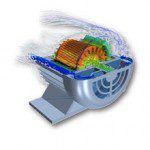
Montreal, QC – Infolytica Corporation announces the latest release of MotorSolve, the company’s electric machine design software. MotorSolve v2.5 features a host of improvements to the template modeling engine, results charts, and the user interface as well as a new online documentation resource. 
The improvements to the template library include a new interior/exterior wound rotor template. The template modeling engine used in MotorSolve has also been fine tuned, allowing for a more intuitive experience. All of the changes result in users being able to perform even more detailed analysis of their machine design.
Coinciding with this release of MotorSolve is the launch of LiveDocs for MotorSolve. In addition to the basic and general information available in the MotorSolve Help, the MotorSolve Live Docs provide in-depth information allowing one to gain better control and understanding of many of MotorSolve’s advanced features, such as
- The Variation Geometry engine
- Sizing feature
- Stator windings
- Lumped parameter
- Fields and Fields Charts sample results
- Specific motor concepts, such as general PWM & cogging torque
MotorSolve v2.5 is available for PCs running Microsoft Windows XP, Vista and 7.
Existing users can visit support.infolytica.com to download the update, access the new MotorSolve LiveDocs, or read the release notes for full details.
Delta’s Curve Tool Makes Complex Motion Profiles Easier
September 22, 2010 by Motion Control Tips Editor
Filed under Controllers, PC-Based Controllers, Software
Delta Computer Systems, Inc. announces the Curve Tool feature that delivers graphical ease-of-use to the custom motion and camming profiles. The Curve Tool is now available in Delta’s RMC70 single- and dual-axis and RMC150 multi-axis motion controllers. For more information, download the RMCTools software and also view a video at http://deltamotion.com/curvetoolvideo.

The Curve Tool’s graphical environment for creating and editing curves–also called cams or splines– makes it easy to view the RMC’s many curve features. With options such as linear or cubic interpolation, velocity and acceleration limits, endpoint behavior and more, the RMC curves satisfy a wide range of applications.
Delta Computer Systems
www.deltamotion.com
National Instruments Launches New LabVIEW 2010
August 3, 2010 by Miles Budimir
Filed under Controllers, Motion Utilities, Software
Austin, Tex. – National Instruments announces LabVIEW 2010, the latest version of the graphical programming environment for design, test, measurement and control applications.

LabVIEW 2010 graphical software adds off-the-shelf compiler technologies to execute code faster, improves development productivity and delivers new features suggested by lead users.
LabVIEW 2010 delivers time savings with new features such as off-the-shelf compiler technologies that execute code an average of 20 percent faster and a comprehensive marketplace for evaluating and purchasing add-on toolkits for easily integrating custom functionality into the platform. For field-programmable gate array (FPGA) users, LabVIEW 2010 delivers a new IP Integration Node that makes it possible to integrate any third- party FPGA IP into LabVIEW applications and is compatible with the Xilinx CORE Generator. National Instruments also implemented more than a dozen new features suggested by lead users through the LabVIEW Idea Exchange, an online feedback forum that marks a significant new level of collaboration between NI R&D and the user community.
During the development of LabVIEW 2010, NI R&D used the new LabVIEW Idea Exchange on www.ni.com/ideas to solicit feature ideas from customers. In addition to submitting new ideas, customers can use the exchange to collaborate on suggestions submitted by others and vote on their favorite features. Fourteen popular submissions from the LabVIEW Idea Exchange were implemented in LabVIEW 2010 including many that improve code documentation and organization.
LabVIEW 2010 also uses customer feedback to deliver new features that make getting started easier. For example, LabVIEW now provides a new hardware configuration tool that makes it possible for users to access and configure their LabVIEW Real-Time targets remotely via a Web browser. Other features include a smart installer that automatically detects the software associated with a serial number for faster installation and an improved instrument driver finder that offers prebuilt project examples for specific instruments.
To learn more about LabVIEW 2010 and to download evaluation software, visit www.ni.com/labview/whatsnew.
Amacoil introduces new sensor-controlled winding system
June 29, 2010 by Motion Control Tips Editor
Filed under Controllers, Mechanical Components, Software
Amacoil Inc. (www.amacoil.com) is proud to announce the release of the new Amacoil-Uhing AVS software-based level winding system that utilizes sensors to coordinate and monitor spool rotational speed relative to accumulate materials at the spool flanges.
Sensors monitor the spool rotational speed, the line feed speed of the wire or other material and linear speed/position of the traversing unit. The new system can fix the defect – such as when accumulation of material in the spool flanges is bulge in the level wind, uneven or forming a dent – by automatically creating the required adjustments based on the sensor data’s software analysis.
The continuous balancing of spool rotation speed with traverse speed/position and line feed speed results in a smooth, level wind with no bulges or depressions at the spool flanges. Damaged or warped spool flanges do not interfere with AVS operation. The system may be utilized with Uhing traverses as well as with other level winding traverse drives, such as ball screws and other types of timing belts and linear actuators.
The new Uhing AVS system is ideal for spooling wire with spool rotational speeds of 3,000 rpm (maximum) and a diameter of 0.2 up to 5 mm (0.008 – 0.197 inches). With the absence of optical sensors, working in harsh environments is not a problem. Suited for conical shaped or cylindrical spools, the new AVS system can store up to ten programs with preset-button access. A user manual illustrates the AVS install but a good working knowledge in electro-mechanical devices is needed, particularly when the AVS is being used with a non-Uhing traverse drive.
The new PLC HMI software simplifies development of 64-bit versions of Windows to Allen Bradley Controllers
April 5, 2010 by Motion Control Tips Editor
Filed under Controllers, PLC - PACs, Software
CimQuest INGEAR is proud to announce its latest Allen-Bradley ActiveX Studio software which enables 32-bit programs to operate with 64-bit versions of Windows and supports creation of Windows 7 PLC HMI applications, the Allen-Bradley ActiveX Studio version 6.0. It allows creation of easy-to-use, powerful programmable logic controller (“PLC”) communications applications with significant usability and performance improvements over previous versions.
“Many of our customers migrating to the performance advantages of 64-bit Windows computing have had concerns about being able to continue to run their 32-bit programs. With this new version of our Allen-Bradley ActiveX Studio, we enable them to update existing or newly created 32-bit programs and run them on Windows 7 and on 64-bit Windows operating systems,” said Chuck Karwoski, president of CimQuest INGEAR.
The latest Allen-Bradley ActiveX Studio version 6.0 from CimQuest provides component Microsoft Visual Basic 6.0 programmers a communication channel to Allen-Bradley PLCs without the complexity or overhead of OPC and it does not rely on third party drivers like RSLinx. Also, it enables two-way communications with Allen-Bradley SLC, PLC-5, MicroLogix, CompactLogix, and ControlLogix controllers, supporting ActiveX/OCX-based communications applications development written in .NET programming, C++ and Visual Basic languages.
Machine users who have built applications using the Allen-Bradley ActiveX Studio 5.2 can now upgrade their applications for them to run on Windows 64-Bit and Windows 7 operating systems with minor changes to their code. New machine users can deploy and develop application for Windows 64-Bit and Windows 7 operating systems.
Among the usability and performance enhancements in the latest version are updated example files and projects, improved error reporting, and improved CIP (“Common Industrial Protocol”) communications. Also, the Allen-Bradley ActiveX Studio version 6.0 supports an optional USB License Key which enables machine users to move developmental licenses from machine to machine without activation or registration.
Pepperl+Fuchs introduces the Diagnostics Add-On Instruction for Allen-Bradley CompactLogix and ControlLogix Controllers
March 29, 2010 by Motion Control Tips Editor
Filed under Controllers, Networks, PLC - PACs, Software
TWINSBURG, OH – Pepperl+Fuchs introduces the Diagnostics Add-On Instruction for Allen-Bradley CompactLogix and ControlLogix Controllers. Available as a free download, this Add-On Instruction enables PLC programmers to retrieve detailed diagnostic data from an AS-Interface SafetyMonitor with just three instructions.
“Pepperl+Fuchs developed this innovative add-on software to further simplify the already flexible and powerful AS-Interface Safety at Work technology,” says Tim Cicerchi, Product Manager, Industrial Bus and ID Systems. “Additionally, because we want every AS-Interface user to have the best experience possible this Add-On Instruction is compatible with competitive AS-Interface Safety at Work SafetyMonitors, not just Pepperl+Fuchs SafetyMonitors.”
Pepperl+Fuchs
www.pepperl-fuchs.us
Thomson Launches Micron MOTIONEERING® Web-Based Gearhead Sizing and Selection Tool
June 19, 2009 by Miles Budimir
Filed under Motion Utilities, Software
Wood Dale, IL – Thomson introduces Micron MOTIONEERING®, a new web-based sizing and selection tool for Micron TRUE Planetary™ Gearheads. Micron MOTIONEERING offers “Select by Model Number” or “Sizing and Selection” modes to deliver downloadable 2D and 3D models, expected life calculations, as well as pricing, ordering and delivery information to help machine builders quickly specify the right gearhead to satisfy specific application performance requirements. For users who need it fast, Micron MOTIONEERING also lists all of the size and ratio combinations that are available to ship within 24 hours via the Gearhead Express Program.

Using the “Sizing and Selection” option, users simply enter key technical requirements in a few simple steps, and Micron MOTIONEERING delivers the optimized gearhead solution. Alternately, machine builders who already know the gearhead they need can simply use the “Select by Model Number” option to enter a product line, frame size, ratio and RediMount Motor Mounting System. Micron MOTIONEERING then delivers a specific single part number, pricing and delivery information, as well as a downloadable 2D and 3D model.
The flexible Micron RediMount™ mounting system enables the specified gearhead to be mounted to any of hundreds of the most popular motors available in the industry today in three easy steps – simply align, mount and tighten.
www.thomsonlinear.com
ProServe 5.2 Application Development Software from WAGO
April 3, 2009 by Miles Budimir
Filed under I/O, Software
Germantown, WI – Version 5.2 of WAGO’s free ProServe product development software suite features a new range of products and enhanced tools.

Among the additions to the more than 16,000 products of ProServe 5.2’s ‘productLOCATOR’ which include DIN-rail, PCB and chassis mount terminal blocks, signal conditioners, and the WAGO-I/O-SYSTEM are those in the SPEEDWAY (Series 767) range of modular IP67 I/O automation products. For this range, ProServe 5.2 has an array of diagnostic tools that lets users define input and output loads as well as check potential current and compatibility.
ProServe 5.2’s smartMARKING outputs to an IP 350 flexible plotter, thermal transfer printer (including the new TP 343+), engraver or to PDF/HTML formats. For integration into existing projects, ProServe 5.2 imports projects from previous ProServe versions and can convert legacy items for ROHS compliance. Wire marking capability is also included.
Visit the ProServe 5.2 web page at http://www.wago.us/service/569.htm
For more information, contact WAGO at 1-800-DIN-RAIL or via e-mail at info.us@wago.com
HEIDENHAIN Increases CNC Accuracy with KinematicsOpt
January 30, 2009 by Motion Control Tips Editor
Filed under Software
SCHAUMBURG, IL – HEIDENHAIN Corporation now offers a new option to its iTNC 530 contouring control, now making possible the automatic measurement of a machine rotary axis. Called KinematicsOpt, this new software option, coupled with a mounted HEIDENHAIN touch probe into the CNC machine spindle, increases the accuracy of this already high functioning control. The iTNC 530 can control up to 13 axes and a spindle.
The introduction of KinematicsOpt is the answer to CNC accuracy requirements becoming increasingly stringent, particularly in the area of 5-axis machining. With KinematicsOpt, it does not matter whether the individual axis being measured is a rotary table, tilting table or swivel head. The measurement process is the same.
The procedure begins after having defined the measurement resolution and the area of each rotary axis that is to be measured. The operator then initiates probing of a calibration ball fixed at any position on the machine table. From the measured values, the iTNC 530 calculates the statistical tilting accuracy, with the KinematicsOpt software minimizing the spatial error arising from the tilting movements.
At the end of the measurement cycle, the machine geometry is saved in the respective machine constants of the kinematic table. A comprehensive log file is also saved, recording the actual measured cycles and the optimized dispersion (measure of the statistical tilting accuracy) as well as actual compensation values.