In computer programs, breakpoints are functions within the code that help with monitoring and debugging the program. The programmer can mark, or flag, a line of code as a breakpoint, and when the program encounters the breakpoint marker, it pauses before executing that line of code. This allows the programmer to inspect variables, I/O status, registers, and other parts of the program to troubleshoot problems, make edits, and ensure the program is performing correctly.
In some cases, once a breakpoint is reached, the programmer will run the program in “step mode,” where the program stops after each line or executable statement, so the developer can analyze the program’s performance and find errors. Breakpoints can be assigned (or removed) before a program is started or, in many cases, during the program execution.
Breakpoints are useful debugging tools when programming motion controllers, since motion applications often involve complex programs with many variables, I/O devices, and conditional statements.
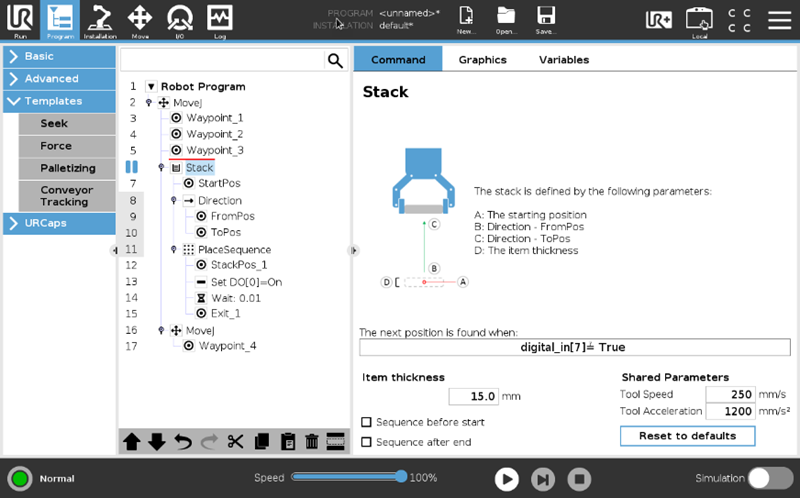
Image credit: Universal Robots
In motion control, breakpoints can also be used in the actual execution of the motion program, as a means for initiating an action based on a specified condition. The action, or event, caused by the breakpoint can be a controlled or abrupt stop, and update to a register, or even a change in motion parameters.
The condition that causes the breakpoint to activate is often referred to as the trigger. This trigger can be a threshold, where a parameter reaches or crosses a specified value (typically defined as “equal to or greater than” or “equal to or less than”) or it can be a level, when a parameter changes state.
For example, two common breakpoint triggers are position and velocity, both of which are typically defined as thresholds (i.e., position equal to or less than 3000; velocity equal to or greater than 1.5). Position-based breakpoints can be defined as absolute or relative position values and are often used for triggering external events. Breakpoints can also be based on external triggers, such as the status of or a signal from an external device.
Some controllers also offer advanced breakpoint functions, such as buffered breakpoints and periodic breakpoints. A buffered breakpoint is simply an array of breakpoints that is pre-loaded into the motion controller, so that the next breakpoint is automatically set up once the preceding breakpoint is triggered. Periodic breakpoints are triggers that occur at exact, fixed intervals.
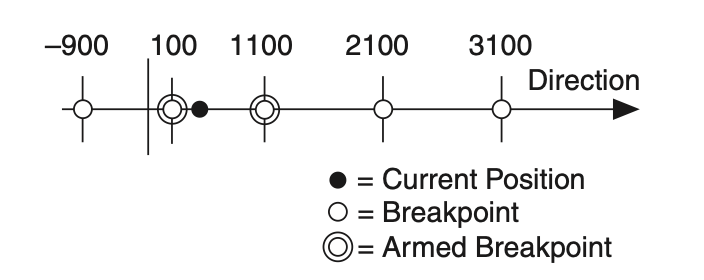
Image credit: National Instruments
One common use of breakpoints is to synchronize the motion of an axis with an external image or data acquisition device. Here, the trigger is typically the absolute or relative position of the axis, and the event is the activation of the device to capture an image or data at that precise position.
In a multi-axis system, a breakpoint can be triggered by one axis, while the event is an action on a different axis. For example, the trigger could be the status change of a limit switch on “axis 1,” and the resulting event could be a change to the motion profile of “axis 2.”
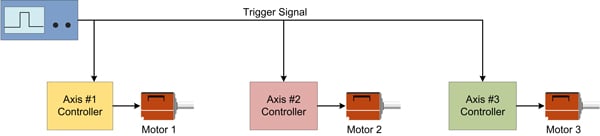
Image credit: Performance Motion Devices

Leave a Reply
You must be logged in to post a comment.